
Health Data Collection, Analysis and Visualization using DHIS2
Overview
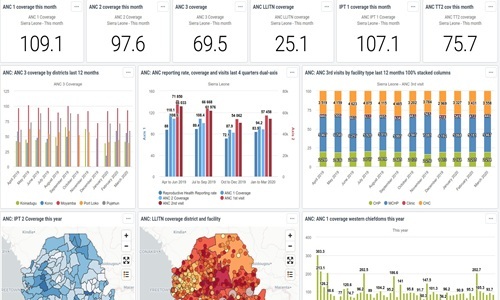
This course provides practical training in Health Data Collection, Analysis and Visualization using DHIS2, a widely used open-source health information system. District Health Information Software (DHIS) is a tool for collection, validation, analysis, and presentation of aggregate and patient-based statistical data, tailored (but not limited) to integrated health information management activities. The software is used in more than 40 countries around the world. It is a tool with an open meta-data model and a flexible user interface that allows the user to design the contents of a specific information system without the need for programming. DHIS2 and upwards is a free and open source modular web-based software for analysis of health data. This training aims at building the capacity of researchers, health record managers and practitioners to monitor, manage and maintain demographic data and health information in a much more efficient and accurate way than using papers. Participants in this course will get equipped with necessary skills and knowledge on how to report, analyze and disseminate data for health programs.
Target Audience
The course is useful for professionals who collect, analyse and use health data as part of their work and who need to make decisions from data analysis. This course is ideal for health administrators, health information system officers, researchers and academicians.Learning Outcomes / Objectives
By the end of this course the participants will be able to:- Install and setup DHIS 2
- Understand what DHIS 2 is and what purpose it serves with respect to health information systems (HIS)
- Use DHIS 2 features on data collection, validation, visualization, presentation and information use
- Master the technological considerations in deploying DHIS 2
- Troubleshoot data quality issues in DHIS 2
- Understand concepts of data elements, data sets and indicators
- Event capture, event visualizer, event report and tracker capture
- Configure DHIS 2 in all aspects of health indicators monitoring and progress towards targets
- Appreciate the benefits and challenges in using DHIS
Duration
5 daysModules / Course Content
Module 1: Introduction to DHIS 2 and Information Use- Health information management and related concepts
- Different kind of data needed by health planners and decision makers
- Sources of data
- Legal and ethical requirement
- Benefits of using DHIS2
- Organizational units
- Information cycle
- Installation of DHIS 2
- Key terms
- Components of DHIS2
- Strategy for getting started
- Indicators
- Data element
- Data sets and data entry forms
- Data set management
- Data set categories
- Adding a new section form
- Customs forms
- Scripting in custom forms
- Data assignment editor
- Pivot table design
- Connecting to the DHIS2 data base
- Dealing with large amounts of data
- The my datamart tool
- Data visualization
- Charts and graphs
- Charts and dashboards
- Data set
- Data set management
- Data set categories
- Data entry forms
- Adding a new section form
- Customs forms
- Scripting in custom forms
- Data assignment editor
- Introduction to GIS
- Usefulness of GIS maps
- Thematic layer
- Maps consideration
- Editing and navigation
- Measuring data quality
- Reasons for poor data quality
- What makes quality data
- Common data quality check
- Data validation analysis
- Validation rules
- Improving data quality
- Data analysis processing
- Data maintenance and managing changes to the database
- Meta-data set up
- Import and export of data
- Aggregation
- Preparing repots and other information products
Training Methodology
The course will employ a hands-on, practical approach to ensure participants develop both conceptual understanding and technical proficiency. Each module will integrate interactive lectures, guided software demonstrations, and individual or group exercises based on real-world illustrations. Participants will receive continuous feedback and personalized coaching to reinforce learning. By the end of the training, they will have completed a mini project that demonstrates their ability to apply the acquired skills in a practical context.More Details
Upon successful completion of this course, participants will be issued a certificate.Registration
Click on the Register button aligned with your course dates and venue from the table provided.